Before you start
What this post does: Compares Expertex and Canva Magic Studio as two real options for creative work — not a pitch for one side, and not a controlled lab verdict.
Both platforms are useful. They solve different bottlenecks:
- Expertex starts with AI media production: generate and refine images, video, voice, and text across dedicated studios, with Agent as a chat entry point for many image/video jobs.
- Canva Magic Studio starts with design collaboration: templates, canvas layout, Brand Kit, documents/presentations, comments, and AI assists inside that design environment.
The fair question is not “which has more AI?” It is: where does your work start, and where must it finish?
Capabilities, plans, and interfaces change. Before you buy or migrate, run the same disclosed brief on both, record dates and settings, and confirm current plan limits against first-party sources.
Sources to recheck:
- Expertex
- Canva Magic Studio
- Canva AI access docs
- Current pricing, licensing, and privacy terms on both sides
Start here (Expertex side of the test):
Stage 1 — 30-second snapshot
If you only remember one frame, remember this.
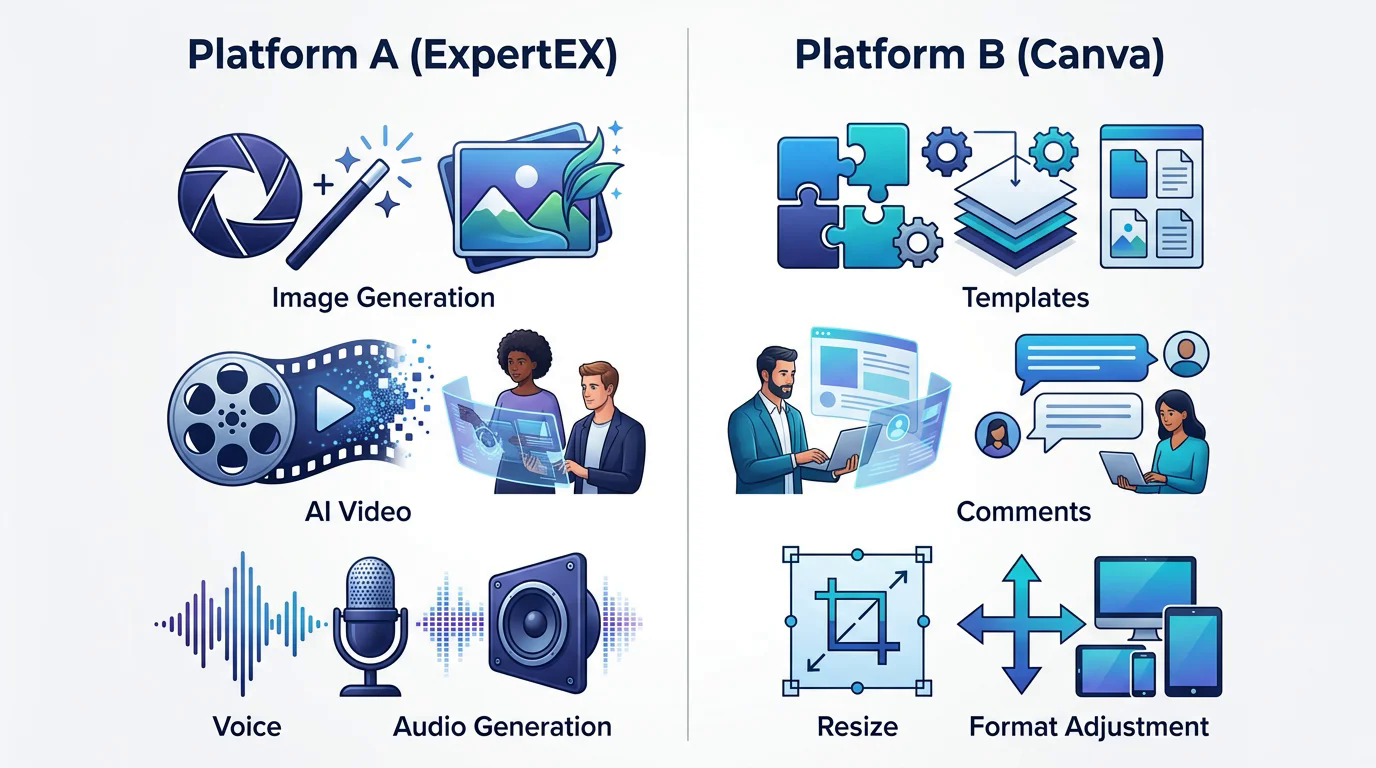
30-second snapshot — Expertex AI production (image, video, voice) vs Canva design collaboration (templates, comments, resize)
What it does: Puts both platforms on the same page so you pick the right first test — not the louder homepage claim.
| Decision lens | Expertex | Canva Magic Studio |
|---|---|---|
| Center of gravity | AI-first media production across suites | Design-first templates, canvas, and collaboration |
| Best-known entry | Agent, Image Studio, Video Studio, Voice Studio | Design editor, Magic Studio AI, Brand Kit, templates |
| Typical win | Generate and refine stills, motion, and audio in dedicated studios | Assemble, adapt, comment on, and ship branded layouts quickly |
| Weaker fit when | You mainly need slide/doc templates and shared canvas editing | You mainly need deep specialist generation + voice + ecommerce import |
Stage 2 — What each platform actually is
Equal weight to both product shapes — not slogans.
What each platform is — AI-first production focus (left) vs design-first collaboration (right)
What it does: Describes each platform in its own terms so the comparison stays honest.
Expertex
An AI creative suite for creators, brands, and teams that need images, video, voice, and text across dedicated studios:
- Expertex Agent — chat entry for many image and video jobs; typically clarify → approval card → generation (Auto-run can skip approval). Some voice tools are available in Agent; Text to Speech, full Voice apps, Reels, Text Studio, and E-commerce Studio still start in their own suites.
- Image Studio / Video Studio — specialist generation and editing (product stills, UGC-style video, multi-shot, edits)
- Voice Studio — Text to Speech, Voice Changer, Speech To Text, Noise Remover, Sound Effects
- Brand DNA — reusable brand context on supported Image, Video (Create Video), and Agent surfaces (not every app attaches Brand DNA today)
- E-commerce Studio, Reel Studio, Prompt Builder, Text Studio — specialized paths beside Agent
What Expertex is not today: a large template library for slides/docs, a collaborative design canvas for multi-person layout edits, a content calendar, or an auto-publisher.
Canva Magic Studio
A design collaboration platform where Magic Studio adds AI inside the canvas and template workflow:
- Template ecosystem for social, presentations, documents, and marketing formats
- Shared canvas editing, comments, and stakeholder revisions
- Brand Kit / brand controls for assets and consistency inside designs
- Magic Studio AI assists for generation and editing inside design workflows
- Fast resize / Magic Switch-style channel adaptation once a layout direction exists
What Canva is not primarily positioned as: a multi-suite media production stack with a dedicated Voice Studio, E-commerce Studio URL import, and Agent-routed specialist generation comparable to Expertex’s suite model.
Those are different centers of gravity — not automatic wins. Recheck Canva’s current Magic Studio feature list and plan entitlements on publication day.
A fair comparison starts with the job: generate media, or assemble a layout. Then run that same job on both platforms.
Stage 3 — Capability matrix (score both sides)
Use this as a shopping list for tests — not a final ranking.
What it does: Maps categories to both platforms and tells you what to verify yourself on each.
| Category | Expertex | Canva Magic Studio | Verify yourself on both |
|---|---|---|---|
| Primary strength | Image + video + voice + text + Agent | Templates, canvas, collaboration + Magic AI | Which bottleneck your brief has |
| Media generation | Dedicated studios with specialist controls | AI assists inside the design workflow | Depth of control vs speed to layout |
| Layout & templates | May need another tool for final composition | Strong template and canvas strengths | Adapt one direction to three formats |
| Brand workflow | Brand DNA on supported generation surfaces | Brand Kit inside designs | Apply the same approved brand pack |
| Collaboration | Handoffs and review outside a shared canvas | Comments and multi-person canvas editing | Run a real stakeholder revision round |
| Ecommerce visuals | Store URL import + enhance in E-commerce Studio | Design store creatives from assets/templates | Catalog accuracy vs layout speed |
| Voice / audio | Dedicated Voice Studio (TTS, changer, STT, cleanup, SFX) | Some in-canvas audio/video AI; not a dedicated voice suite — verify current features | Need for TTS, cleanup, SFX, and voice control depth |
| Presentations / docs | Outside primary strength | Core strength | How often you ship slides/docs |
| Decision | Fit depends on production depth | Fit depends on design + collaboration | Use evidence; no universal winner |
Stage 4 — Same brief, two paths
One product launch — walk Expertex and Canva before you pick a favorite.
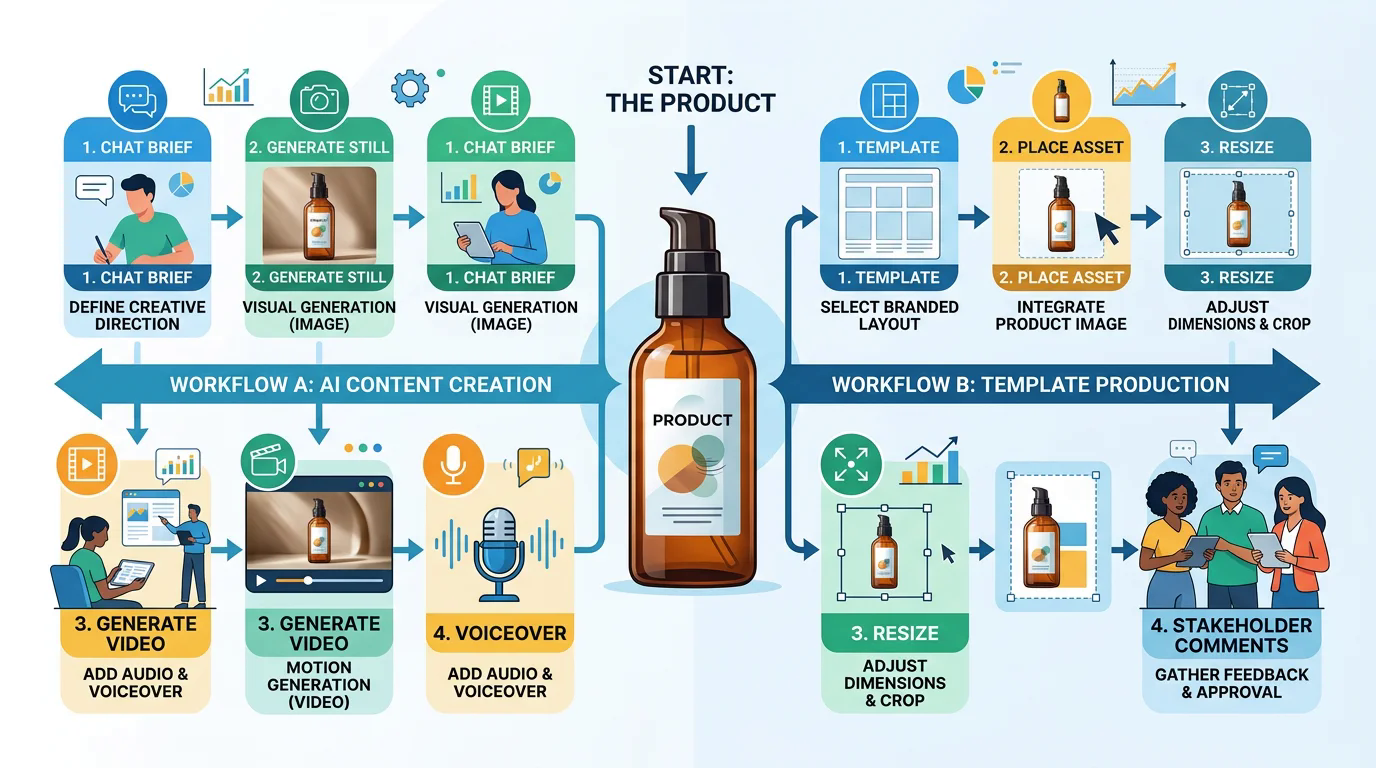
Same product brief, two paths — AI generate still/video/voiceover vs template, place asset, resize, and stakeholder comments
What it does: Shows where the work lives on each platform for the same creative intent.
Shared brief (use on both): a product launch needing one square key visual, one 15-second vertical video/UGC-style concept, and three channel adaptations (feed, story, email header). Keep product facts accurate. No invented claims.
Path A — Expertex
- Open Expertex Agent (or start in Image/Video Studio) and paste the brief — optionally attach a product photo and select Brand DNA where the surface supports it.
- Clarify format/mood if asked.
- Review the approval card (prompt, tool, settings, credits) when using Agent — or note if Auto-run is enabled.
- Generate stills and/or video; refine in Image Studio / Video Studio.
- Open Voice Studio for Text to Speech voiceover when audio matters (TTS is not an Agent-routed path today).
- Export assets; finish final layout elsewhere if the channel needs heavy composition.
Path B — Canva Magic Studio
- Start from a template or blank design for the launch format.
- Use Magic Studio AI where it helps generate or edit assets inside the canvas.
- Apply Brand Kit assets and place product visuals on the layout.
- Adapt the same design to three channel sizes (resize / Magic Switch-style tools — confirm names on your plan).
- Collect stakeholder comments and revisions on the shared file.
- Export final deliverables from the design workflow.
Neither path removes human review. Score both on speed, quality, brand fit, collaboration, and how many external tools you still needed.
| Step | Expertex path | Canva path |
|---|---|---|
| 1. Start | Brief in Agent or suite apps | Template or blank design |
| 2. Setup | Brand DNA / references / approval card | Brand Kit / page size / template |
| 3. Stills | Image Studio or Agent image job | Magic generation + canvas placement |
| 4. Video / UGC | Video Studio or UGC path | Video tools inside design workflow |
| 5. Audio | Voice Studio (TTS, changer, STT, cleanup, SFX) | In-canvas audio assists and/or external handoff — verify plan features |
| 6. Adapt formats | Regenerate / crop per channel | Resize + template adaptation |
| 7. Collaboration | Review handoffs outside canvas | Comments + shared editing |
| 8. Finish | May export to a layout tool | Often exports ready layouts |
| Watch for | Extra layout step after generation | Less specialist generation depth / no dedicated Voice or E-commerce Studio |
Stage 5 — Where each side is usually stronger
Hypotheses to validate — not marketing claims.
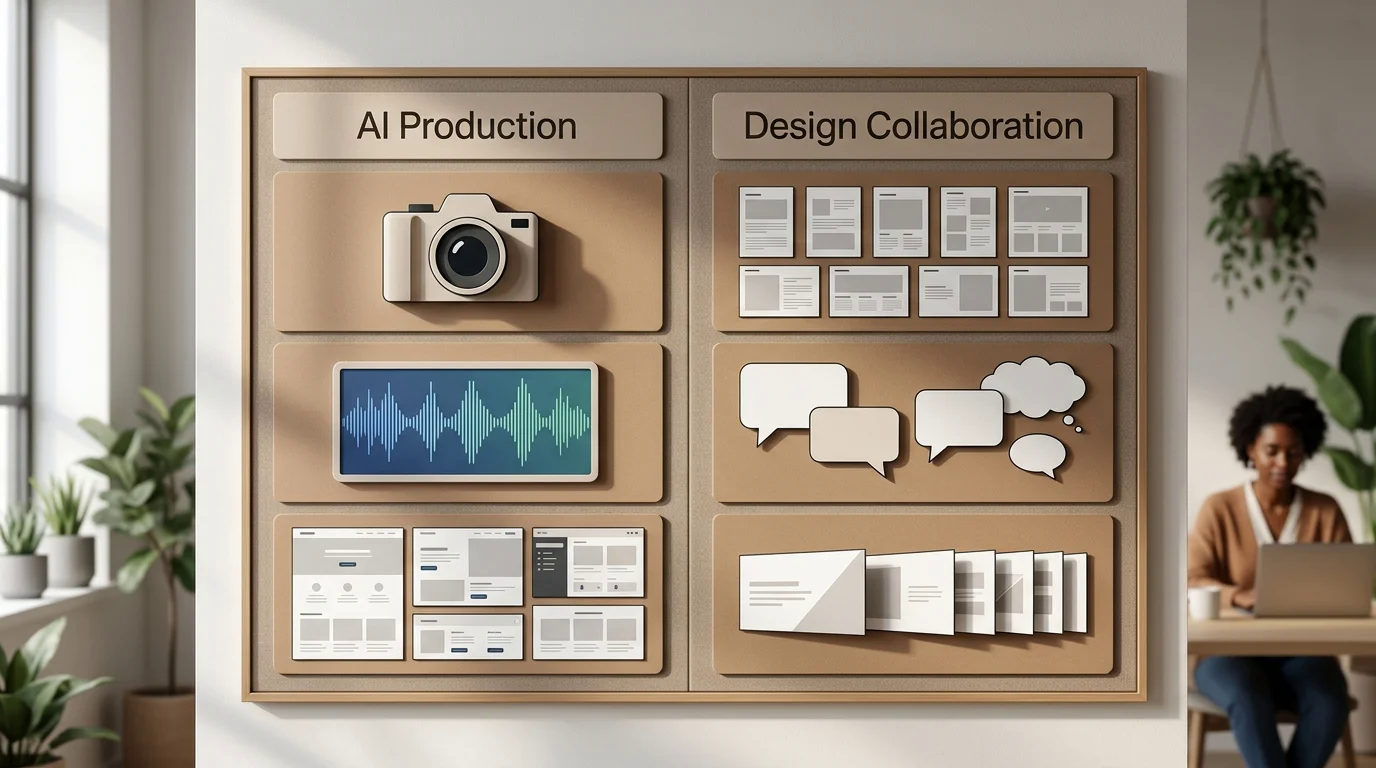
Where each side is usually stronger — AI production depth vs design collaboration strengths
What it does: Gives equal airtime to both platforms’ likely strengths so you know what to test first.
Often stronger on Expertex
- Specialist image/video generation with dedicated studio controls
- Voice production inside the same creative stack (Voice Studio)
- E-commerce Studio: import a store URL and enhance product visuals in context
- Agent-led routing for many image/video jobs with credit visibility on the approval card
- Prompt Builder for structured image/video briefs
Often stronger on Canva Magic Studio
- Template libraries for social, decks, docs, and marketing formats
- Shared canvas editing and comment-based stakeholder revisions
- Fast multi-size adaptation of one design
- Brand Kit applied directly inside layouts
- Shipping finished compositions without leaving the design environment
If your weekly work is mostly generation, lean your first test toward Expertex. If your weekly work is mostly layout + collaboration, lean your first test toward Canva. If it is mixed, test a handoff workflow and measure friction.
Stage 6 — Which job sounds like yours?
Pick the scenario — then know what to test first on each platform.
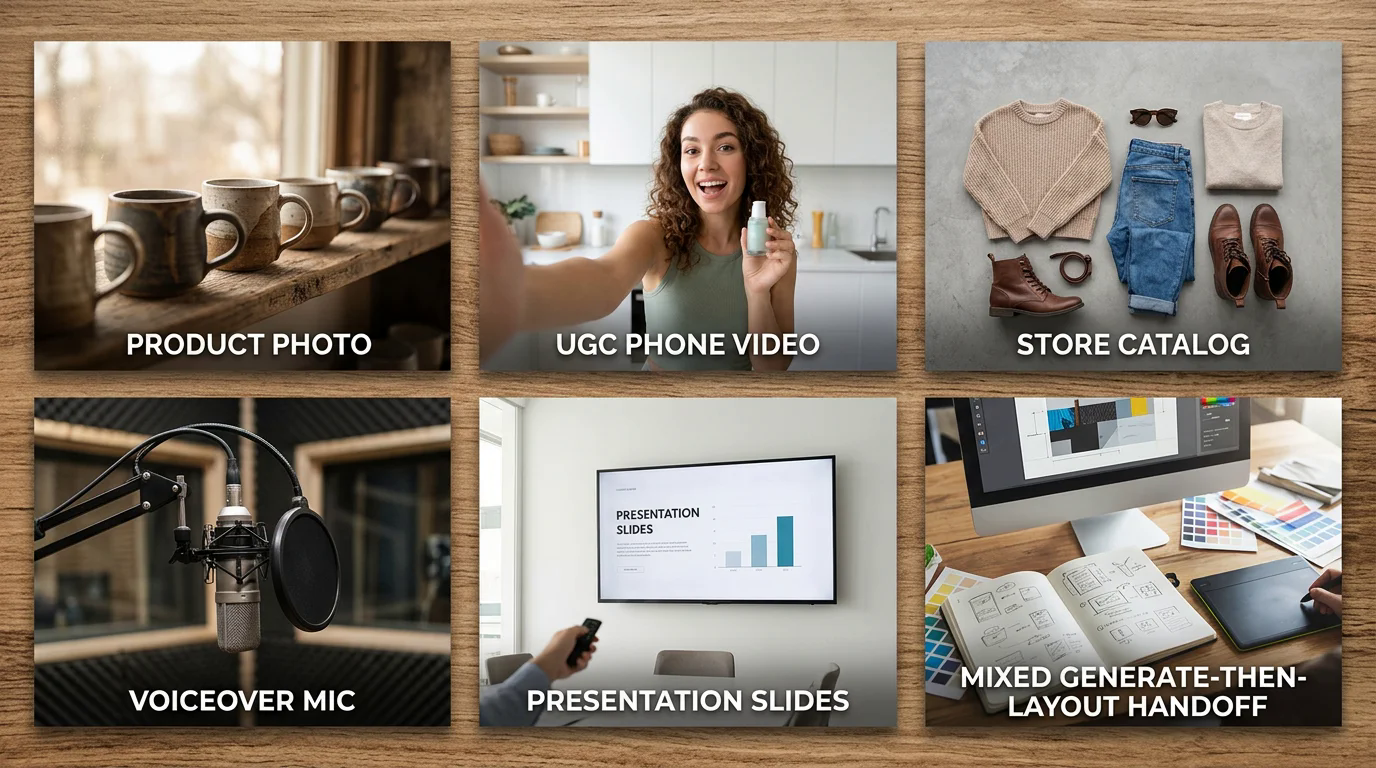
Job scenarios to test first — product photo, UGC video, store catalog, voiceover, presentations, and generate-then-layout handoff
What it does: Routes you to the first honest experiment on both sides instead of a feature-count debate.
Many organizations use both. That is valid — just measure transfer, versioning, licensing, and governance cost instead of assuming two tools automatically create a better workflow.
| Your job | Test first on Expertex | Test first on Canva |
|---|---|---|
| Generate product stills + UGC video | Agent + Image/Video suites | Magic generation + design assembly |
| Stakeholder layout revisions | Export into a design tool if needed | Shared canvas + comments |
| Catalog refresh from a live store | E-commerce Studio URL import | Asset upload into templates |
| On-brand voiceovers for Reels | Voice Studio | Canva audio assists and/or external audio + compose |
| Presentations / docs / brand kits | Outside primary strength | Core Canva strength |
| Mixed: generate then assemble | Generate in Expertex | Finish layout/collaboration in Canva |
Stage 7 — Steal the benchmark brief
Same inputs on both platforms. Adapt syntax only where a tool requires it — and document the adaptation.
What it does: Locks a fair creative intent so neither side gets a richer brief by accident.
Use source assets you own or may lawfully process. Prefer multiple disclosed attempts over publishing a single lucky or unlucky output. Fill one scorecard for Expertex and one for Canva.
Product launch evaluation brief for comparing two creative platforms (Expertex and Canva Magic Studio).

Deliverables (identical on both):
1) One square key visual for social
2) One 15-second vertical UGC-style video concept
3) Three channel adaptations (feed, story, email header)

Constraints:
- Use only authorized product references
- Preserve product identity (silhouette, colorway, label)
- No invented pricing or clinical claims
- Keep brand colors and tone consistent

Process:
- Use identical source pack on both platforms
- Log elapsed time, failed attempts, and manual interventions
- Do not declare a winner before testing
- Score generation control, layout adaptation, collaboration, brand governance, export readiness, accessibility, and external-tool handoffs
EXPERTEX VS CANVA MAGIC STUDIO SCORECARD

Brief / date / reviewer:
Platform tested: Expertex / Canva Magic Studio
Plan / features available:

OBJECTIVE (pass / fail / notes)
[ ] Required deliverables completed
[ ] Product identity preserved
[ ] Brand rules applied
[ ] Channel sizes usable
[ ] Claims remain accurate
[ ] Export ready for intended placement
[ ] Collaboration / revision loop completed (if applicable)

SUBJECTIVE (1–5 + notes)
Generation control:
Layout / template speed:
Collaboration / revision loop:
Brand governance clarity:
Audio / voice readiness:
External tools still needed:
Overall fit for this job:

PROCESS NOTES
Elapsed time:
Manual interventions:
Failed attempts preserved? (Y/N)

CONCLUSION
Ship / revise / reject for this job:
Better fit for this job when:
Stage 8 — Run a controlled benchmark
Capture evidence for both platforms without manufacturing precision.
What it does: Turns taste into a written record for Expertex and Canva.
- Select 3–5 representative tasks, including one routine job and one difficult edge case.
- Freeze the source pack and acceptance criteria before testing.
- Use evaluators with comparable familiarity on both tools — or record learning time separately.
- Verify current plan access and AI entitlements in each product.
- Record elapsed effort, failed attempts, manual corrections, handoffs, and reviewer comments.
- Review output blind where practical, then review workflow evidence with platform identity visible.
- Document limitations and where external tools were needed on each side.
- Keep first-run notes — onboarding is part of fit.
“Reviewer needed to rebuild the final slide hierarchy on Platform A” or “needed an external TTS tool on Platform B” is more useful than an unexplained score.
Stage 9 — Honest limits and a fair decision rule
Your operating model matters more than a generic verdict.
What it does: Sets accurate expectations before you scale a purchase decision for either platform.
Decision rule:
- If collaborative design, templates, presentations, and quick layout adaptation dominate → Canva may be the better primary fit.
- If specialized AI media generation, voice, E-commerce URL import, and dedicated studio depth dominate → Expertex may deserve greater weight.
- If needs are mixed → test generate-then-assemble and account for transfer risk.
This comparison deliberately does not name a universal winner.
| Limit | What to do |
|---|---|
| No universal winner | Weight jobs by frequency: generation depth vs layout collaboration |
| Plans and AI access change | Recheck entitlements on publication day for both |
| Generated media needs review | Same QA bar on Expertex and Canva |
| Templates need judgment | Check hierarchy, contrast, claims, and accessibility |
| Combined workflows add cost | Measure handoff overhead if you use both |
Choose the platform that matches where your work starts and where it must finish — not the one with the longer feature list.