Before you start
What this guide does: Walks a practical Expertex path from approved product facts to a reviewable UGC clip, with copy-paste briefs and no performance hype.
UGC-style ads borrow the direct language of creator content: a relatable problem, a firsthand-feeling explanation, and a clear next step. An AI-generated presenter does not turn an unverified claim into a fact.
Before you generate anything: obtain rights to every product image, logo, voice, music track, and human likeness used as reference. Never imply a synthetic presenter is a real customer, expert, or named creator.
Stage 1 — The 60-second workflow map
Six moves from blank brief to export.
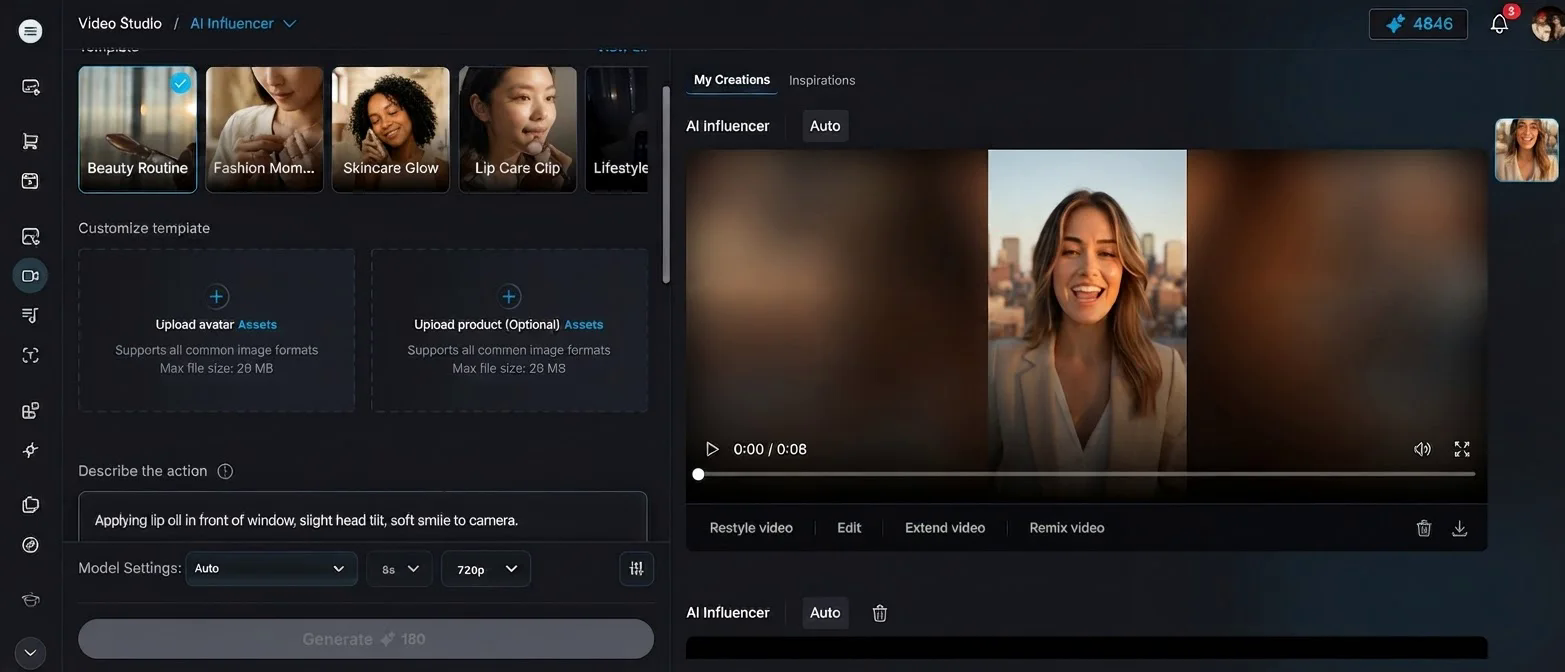
Expertex VideoSuite UGC Ads — main workspace with templates, uploads, and live preview
What it does: Shows the whole loop so you never open VideoSuite before the brief is locked.
| Step | What you do | Where in Expertex |
|---|---|---|
| 1 | Lock approved product facts + audience | Brief worksheet below |
| 2 | Write a spoken script (5 beats) | Script template below |
| 3 | Pick a visual template + fill fields | VideoSuite UGC Ads |
| 4 | Upload product + avatar references | Same app |
| 5 | Review output against checklist | Scorecard below |
| 6 | Export + disclose where required | Your ad platform |
An AI-generated presenter does not turn an unverified claim into a fact. The format feels casual — your production standards should not.
Stage 2 — Pick your path
Same engines — different front doors.
What it does: Helps you choose VideoSuite templates, Agent chat, ImageSuite prep, or Reel Studio for longer multi-scene work.
| Path | Best for | You control | Start here |
|---|---|---|---|
| VideoSuite UGC Ads | Template-led vertical ads with avatar + product refs | Template, script, voice, music fields | [/video/ugc-ads](/video/ugc-ads) |
| Expertex Agent | Chat brief → approval card → UGC generation | Plain-language brief, iterative follow-ups | [/agent](/agent) |
| ImageSuite first | Clean packshot before UGC | Product photo quality and backgrounds | [Photography guide](/blog/ai-product-photography-workflow) |
| Reel Studio | Multi-scene UGC reels (30–120s) | Segment scripts and product anchors | Reel Studio in app |
Stage 3 — How Expertex UGC templates work
Locked visual DNA. Fill the fields that drive script, voice, and motion.
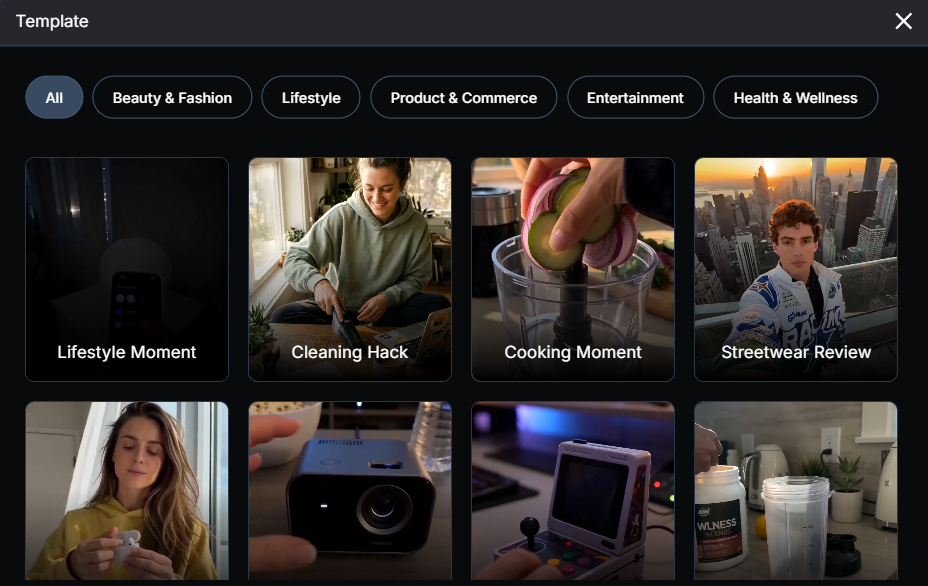
UGC template picker — beauty, lifestyle, commerce, and more category filters
What it does: Explains why templates feel consistent and what you still own.
In VideoSuite -> UGC Ads, each template ships with a locked visual descriptor: camera movement, framing, lighting, and background stay fixed. Your inputs shape the presenter, product, and audio without breaking the template's visual DNA.
Expertex compiles fields with this priority order:
- Template integrity — visual style cannot be overridden
- Product authenticity — packaging colors and geometry must match your reference
- Avatar coherence — presenter adapts to the template lighting rig
- Audio settings — language, accent, voice type, emotion, and music
| Field | Controls | Tip |
|---|---|---|
| Template | Camera, lighting, environment | Match category to product |
| Product image | Packaging fidelity in frame | Use authorized packshot |
| Avatar image | On-screen presenter | Original or licensed, never impersonate |
| Action description | Gesture, setting, interaction | Keep natural; avoid impossible demos |
| Script | Spoken lines (max ~60 words) | Write for speech, one idea per breath |
| Voice type + emotion | Delivery character + energy | Clarity over hype |
| Language + accent | Spoken language | Set before generation |
| Music | Mood bed under speech | Licensed; mixed under VO |
| Duration + ratio | 9:16 for TikTok/Reels | Lock format before scripting |
Stage 4 — Scene 1: Lock the product brief
One audience situation. One objective. Approved facts only.
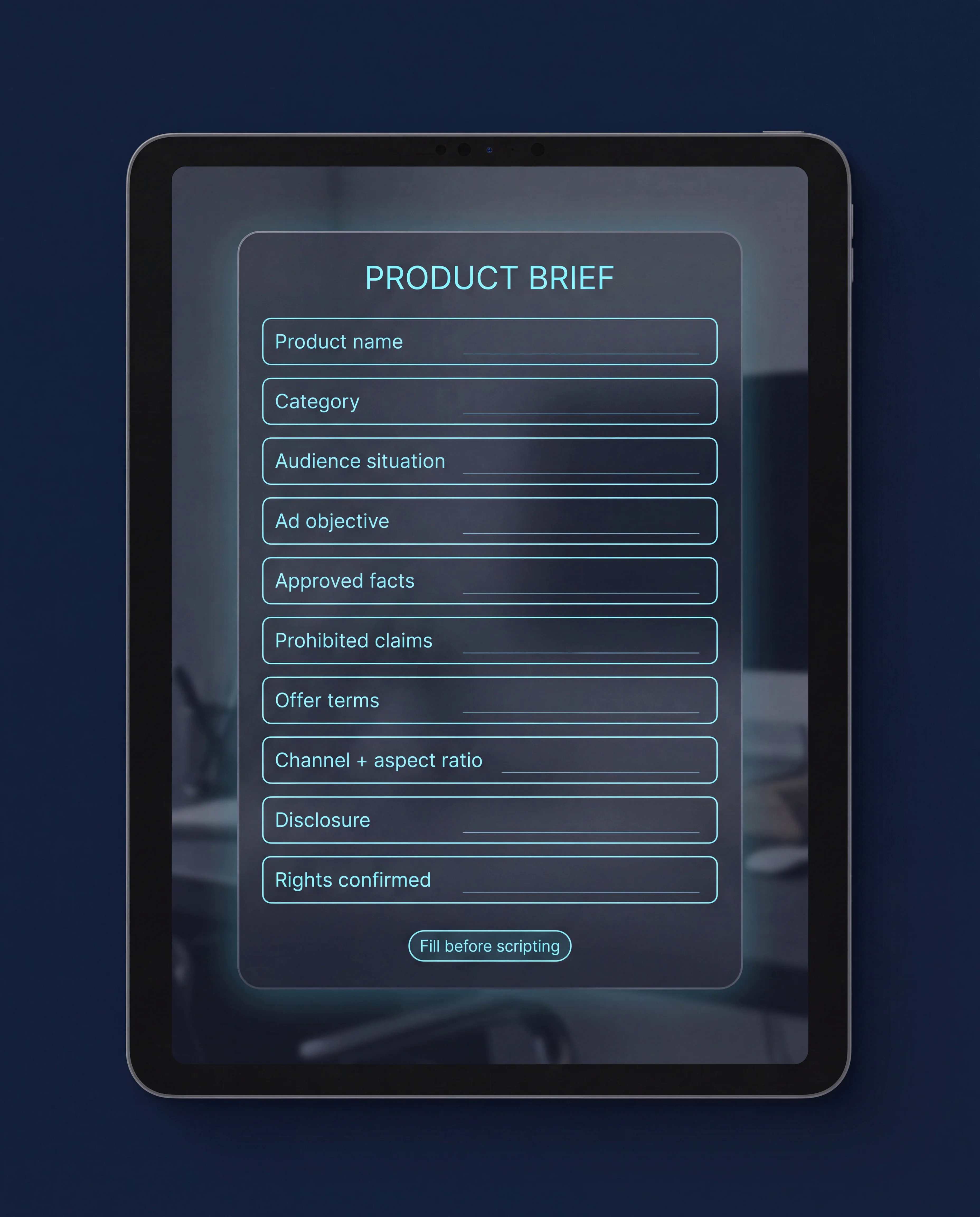
Product brief worksheet — fill every field before scripting
What it does: Stops invented pricing, clinical claims, and performance stats before they reach the script.
Fill every line. If a claim is not on the brief, it does not enter the ad.
PRODUCT BRIEF — fill before scripting

Product name:
Category (beauty / apparel / food / tech / other):
Audience situation (one sentence):
Ad objective (awareness / consideration / conversion):
Approved facts only (bullets):
Prohibited claims:
Offer terms (or "none"):
Channel + aspect ratio (e.g. TikTok 9:16):
Disclosure required? (Y/N — where):
Rights confirmed for product image, avatar, voice, music? (Y/N)
Stage 5 — Scene 2: Write the 5-beat script
Read it aloud before you open the app.
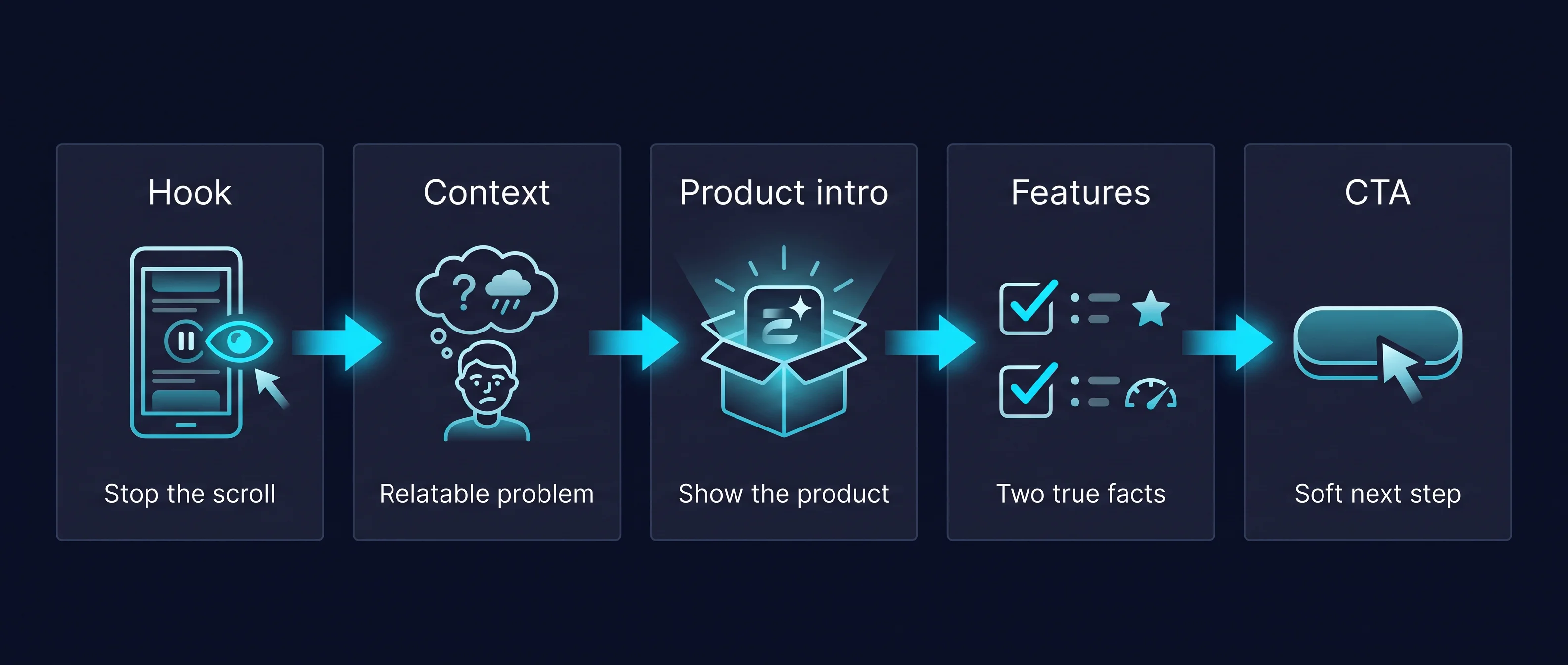
5-beat script storyboard — Hook → Context → Product intro → Features → CTA
What it does: Forces spoken rhythm: hook -> context -> product intro -> two verifiable features -> low-pressure CTA.
Keep sentences short. No invented personal testimonial. Add [visual notes] for product close-ups and captions. End with a reminder to disclose an AI-generated presenter where required.
Write a 25-second UGC-style ad script for a refillable insulated travel bottle. Audience situation: commuters whose drinks change temperature before lunch. Structure the script as hook, relatable context, product introduction, two verifiable feature statements, and a low-pressure call to action. Use conversational English, short spoken sentences, and no invented personal testimonial. Do not claim medical, environmental, or performance outcomes unless supplied in the brief. Add concise visual notes in brackets for product close-ups and editor-added captions. End with a disclosure note reminding the producer to identify an AI-generated presenter where required.
Stage 6 — Scene 3: Fill VideoSuite UGC fields
Paste the worksheet into the app — then upload references.
What it does: Translates the script into the exact fields VideoSuite UGC Ads expects: action, audio text, voice, emotion, language, music.
Keep music subtle. Speech must stay intelligible. Product label must stay readable in frame.
Back in the UGC Ads workspace — fill action, script, voice, and uploads before Generate
VIDEO SUITE UGC ADS — field fill-in

Template category: Beauty / lifestyle handheld

Action description:
Creator in a bright kitchen, natural morning light, holds the insulated bottle at chest height, slow turn to show label, relaxed smile, authentic handheld micro-movement.

Script (audio text, max 60 words):
Okay so my coffee was always cold by ten — this bottle actually keeps it warm till lunch. Stainless inside, no weird taste, and the lid doesn't leak in my bag. Link in bio if you want the same one.

Voice type: Warm conversational female
Emotion: Friendly, understated — not salesy
Language: English
Accent: American neutral
Background music: Soft acoustic guitar, low under speech

Product image: [upload authorized packshot]
Avatar image: [upload original presenter reference]
Stage 7 — Scene 4: Agent shortcut
Same underlying VideoSuite engine — chat-first routing.
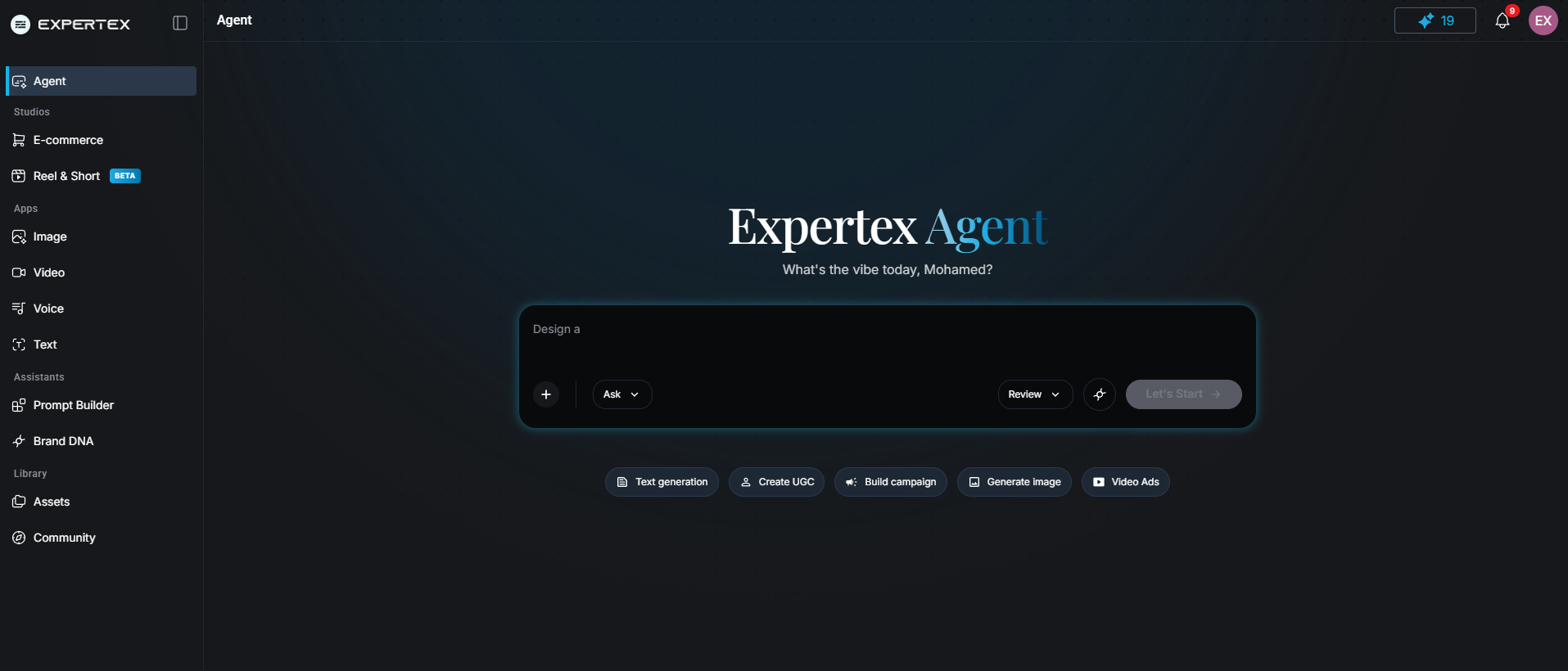
Expertex Agent can route UGC video jobs through clarify → approval card → VideoSuite
What it does: Lets you paste a plain-language UGC brief into Expertex Agent, review the approval card, and generate without opening the form first.
Useful when you already think in briefs. Still run the scorecard before publish.
15-second vertical UGC ad for a skincare serum on Instagram and TikTok. Bathroom morning light, authentic handheld feel. Product label must stay readable — do not invent pricing or clinical claims. Conservative tone only.
Stage 8 — Responsibility layers
Pass each layer before you spend more credits on variants.
What it does: Turns responsibility into a checklist you can hand a reviewer.
| Layer | Your decision | Pass if… |
|---|---|---|
| Brief | Audience, objective, approved facts | Every material claim is supportable |
| Script | Hook, demo, CTA — spoken aloud | No fabricated experience or fake urgency |
| Template + action | Visual style + presenter movement | Product interaction is physically plausible |
| References | Product + avatar uploads | Licensed, not impersonating a real creator |
| Audio | Voice, emotion, language, music | Speech clear; music licensed; captions accurate |
| Disclosure | Platform + legal requirements | Synthetic media identified where required |
| Destination | Landing page matches the ad | Offer and claims consistent end-to-end |
Scene — Pre-publish scorecard
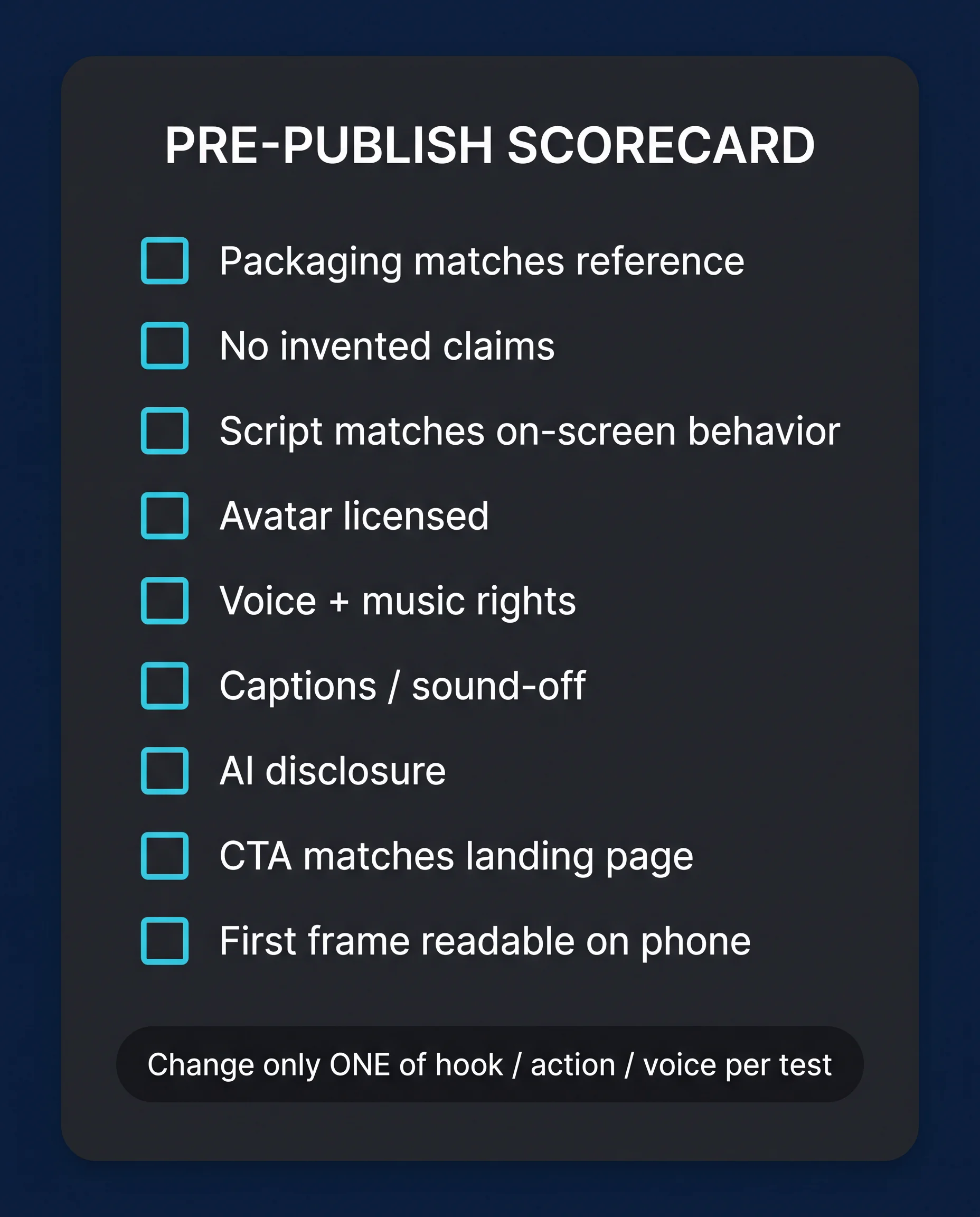
Pre-publish scorecard — final gate before export
What it does: Final gate before export. Change only one of hook / action / voice per A/B test afterward.
PRE-PUBLISH SCORECARD

Ad name / version:
Reviewer:
Date:

PASS / FAIL / NOTES
[ ] Product packaging matches approved reference
[ ] No invented pricing, stats, or clinical claims
[ ] Script matches on-screen product behavior
[ ] Avatar is original or properly licensed
[ ] Voice + music rights cover this channel
[ ] Captions accurate; ad works with sound off
[ ] AI/synthetic disclosure added where required
[ ] CTA leads to page that supports the message
[ ] First frame readable on phone screen

VARIANT RULE: change only ONE of — hook / action / voice — per test.
Stage 9 — A/B variants that teach you something
Test strategically — publish accountably.
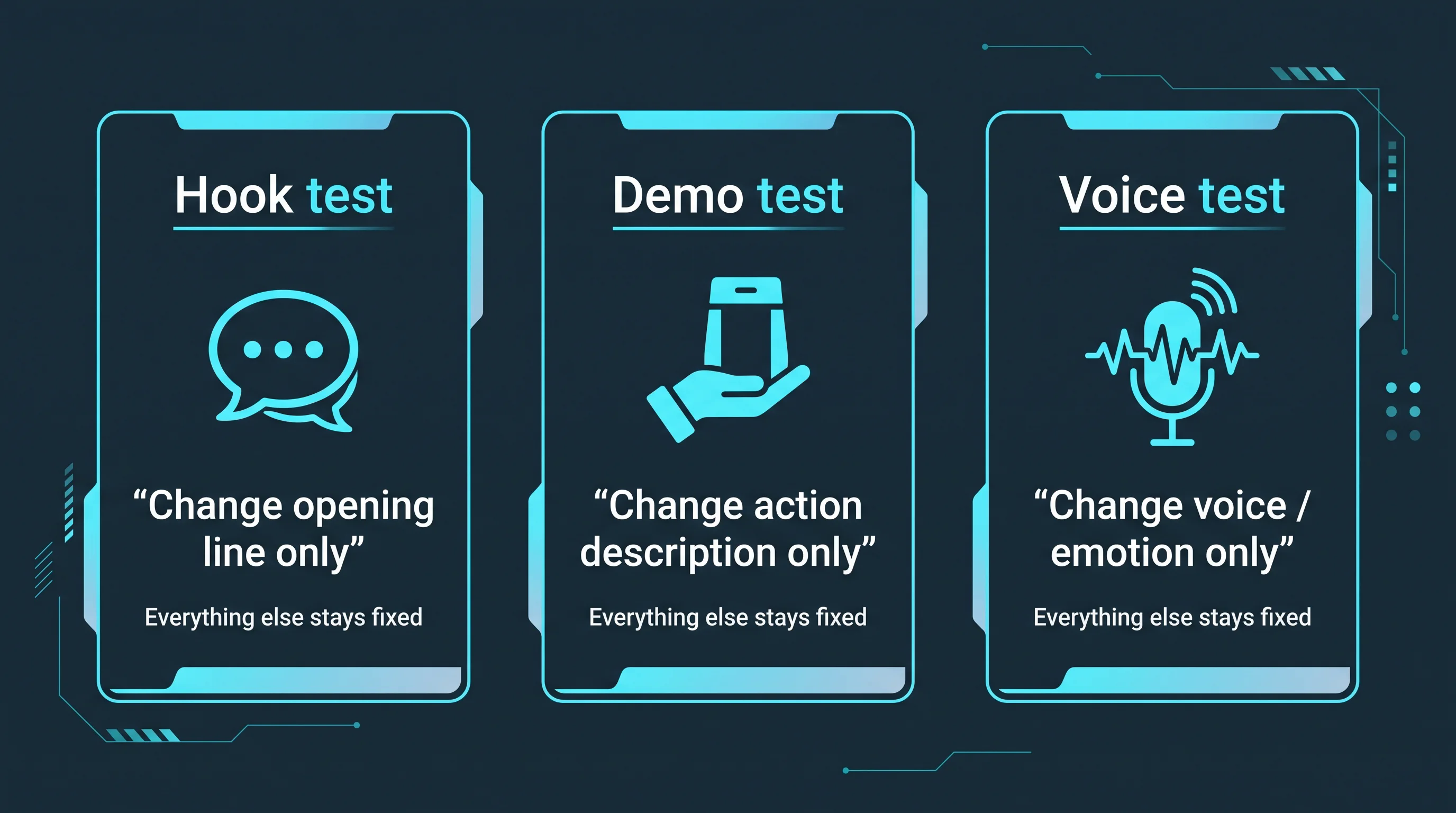
A/B variants that teach you something — change only one of hook, action, or voice
What it does: Isolates learning. If you change presenter, script, product angle, music, and offer at once, you cannot learn which decision moved performance.
| Test type | What changes | What stays |
|---|---|---|
| Hook test | Opening line | Body, CTA, visual |
| Demo test | Action description | Script, voice, product |
| Voice test | Voice type or emotion | Visual, script, product |
Stage 10 — Honest limits
What Expertex accelerates — and what stays human.
What it does: Sets accurate ceilings before you scale the workflow.
| Limit | Detail |
|---|---|
| Template visual style | Locked — you cannot redesign the camera rig per generation |
| Script length | Audio text capped (~60 words); longer needs editing or Reel Studio |
| Product truth | AI can mislabel packaging — inspect every frame |
| Agent scope | Routes image + video; voice-only or reel-length jobs may live elsewhere |
| Compliance | Disclosure and legal sign-off stay human |
Related workflows
- AI product photography — clean packshots before UGC
- Create AI video with Expertex — motion beyond single-template UGC
- Expertex vs Higgsfield — how UGC fits broader platform comparisons
- Expertex Agent — chat-first image + video routing
Generation accelerates drafting. Accountability does not transfer to the model.